
Barcode Generator 128
Code 128 is the compact, high-density barcode used on shipping labels, inventory tags and asset labels because it can encode letters, numbers and punctuation. Type your data and this generator builds a scannable Code 128 barcode — switching automatically between code sets A, B and C to keep it as short as possible — and lets you download it as a crisp SVG or PNG, or print a whole sheet of labels.
- Free to use
- No sign-up
- Runs in your browser
Code 128 barcode generator
Bulk labels
Barcode Labelling Kit
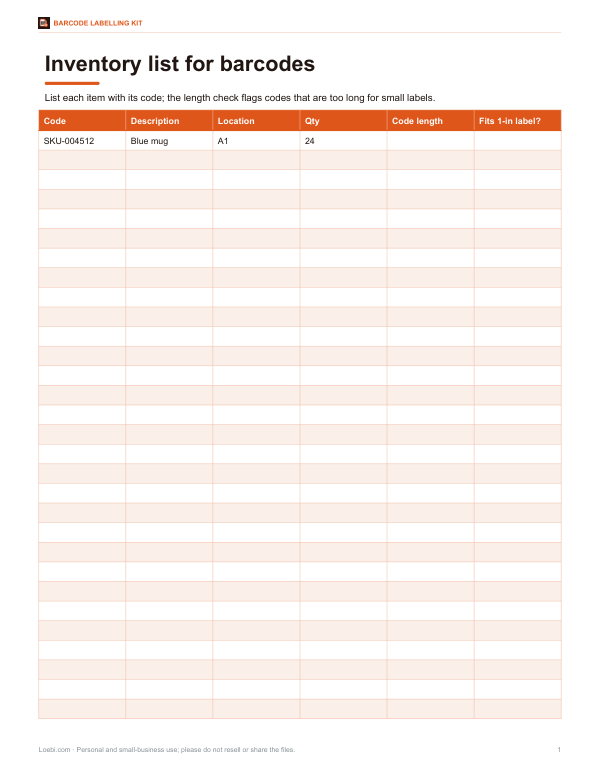
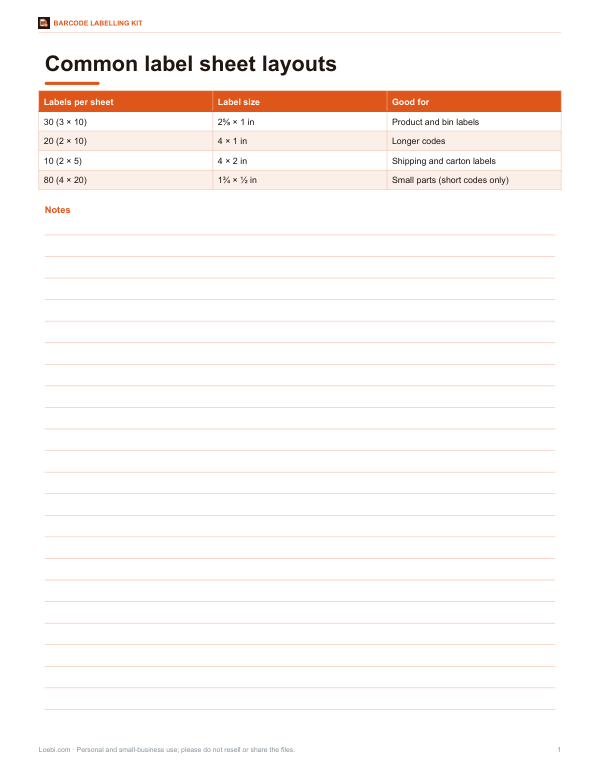
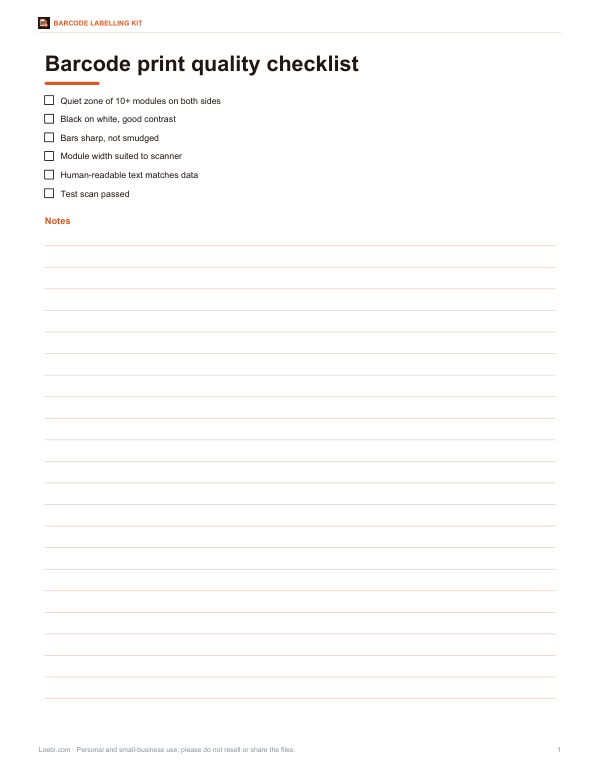
Printable barcode labelling kit: an Excel inventory list ready for barcode printing, label layout templates for common label sheets, a barcode quality checklist and an asset tagging log.
- Inventory list (XLSX)
- Label sizes (PDF)
- Quality checklist (PDF, DOCX)
- Asset log (XLSX)
Formats: XLSX, PDF, DOCX. Instant download after payment (link valid 72 hours, up to 5 downloads). AI-assisted: the templates were drafted with AI help and reviewed and laid out before publishing.
$5.00 USD, one-time 4 files · about $1.25 each
- Instant download
- 7-day refund
- Secure checkout by Stripe
7-day money-back guarantee. Full refund within 7 days of purchase, even after you download.
Free sample: Asset Tag Log (PDF, 98 KB)
Full refund within 7 days — see the refund policy and license.
Free printables
Single sheets you can print right now, no sign-up. The full pack adds every sheet in one download plus the editable files.
 Printable Asset Log Sheet
What is Code 128?
Code 128 is a linear barcode that can encode all 128 ASCII characters: upper- and lower-case letters, digits, punctuation and control characters. Each character is made of three bars and three spaces, 11 modules wide. It is more compact than Code 39 because it uses four bar widths and a special code set (C) that packs two digits into each symbol — ideal for long numbers. A mandatory check character catches misreads, which is why it is used so widely in shipping and logistics.
Code sets A, B and C
| Code set | Encodes | Typical use |
|---|---|---|
| A | Upper-case letters, digits, punctuation and control characters (such as tab) | Industrial data with control codes |
| B | Upper- and lower-case letters, digits and punctuation | Most text such as SKUs and names |
| C | Pairs of digits 00–99 | Long numbers — halves the barcode length |
The generator starts in the best code set and switches whenever it saves space — for example, switching to set C for runs of four or more digits. You don’t need to choose; the scanner reads the switches automatically.
The check character
Every Code 128 barcode ends with a check character calculated by modulo 103: the start symbol value plus each data symbol’s value multiplied by its position, divided by 103, keeping the remainder. The scanner repeats the calculation and rejects the scan if it doesn’t match. The check character is not shown in the human-readable text and you never type it.
How to use the generator
- Type or paste the data — any ASCII text.
- Choose Code 128, or GS1-128 for data with GS1 application identifiers such as (01) for a GTIN.
- Set the bar width and height; larger bars scan from further away.
- Download SVG for print (it stays sharp at any size) or PNG for documents and spreadsheets.
- For many labels, list one value per line and print a 3 × 10 label sheet (30 per page, similar in size to common address labels).
Everything is generated in your browser; nothing you type is uploaded.
Worked example
The SKU “SKU-004512” starts in code set B for the letters and hyphen, then switches to set C for the six digits “004512”, encoding them as three symbols (00, 45, 12). Including the start symbol, the switch, the check character and the stop pattern, it uses 11 symbols — 123 modules wide, plus 10-module quiet zones on each side. At a 2-pixel module it is 286 pixels wide; printed at 10 mils (0.25 mm) per module it would be about 3.6 cm including the quiet zones.
GS1-128 notes
GS1-128 is Code 128 with an FNC1 character after the start code, used with GS1 application identifiers — for example (01) for a GTIN-14, (10) for a batch number or (17) for an expiry date. Type the identifiers in brackets; the brackets appear in the text but aren’t encoded. If you combine a variable-length field such as a batch number with another field after it, GS1 rules need an FNC1 separator between them; put variable-length fields last, or use dedicated GS1 labelling software for complex labels. Real GTINs must be issued through GS1.
Printing tips
- Leave a quiet zone of at least 10 modules of white space on each side.
- Print black bars on a white or light background — never reversed.
- Keep bars at least 0.19 mm (7.5 mils) wide for general scanners; 0.25–0.5 mm is safer on labels.
- Don’t stretch a PNG unevenly — resize proportionally or use the SVG.
- Test-scan a printed sample with the scanner or phone app you will actually use.
Scanning with phones and USB scanners
Most USB and Bluetooth barcode scanners read Code 128 out of the box and type the data into whatever field has focus, followed by Enter. Phone apps vary — many inventory and stock apps support Code 128, while the built-in camera app usually reads only QR codes. If a scanner reads the barcode but adds strange characters, check its prefix and suffix settings.
Code 128 vs other barcodes
| Barcode | Encodes | Typical use |
|---|---|---|
| Code 128 | Full ASCII, compact | Shipping, inventory, assets |
| Code 39 | Upper case, digits, a few symbols | Older industrial and ID systems |
| UPC / EAN | Fixed-length product numbers | Retail products at the till |
| QR code | Text, URLs, contact details (2D) | Phones, marketing, business cards |
Frequently asked questions
What is Code 128 used for?
Shipping labels, inventory, asset tracking and anywhere letters and numbers need a compact barcode.
Can Code 128 encode lower-case letters?
Yes, using code set B.
Does the barcode include a check digit?
Yes, a mandatory modulo-103 check character.
What is GS1-128?
Code 128 with an FNC1 start, used with GS1 application identifiers.
Can I make many barcodes at once?
Yes, list values and print a 3 × 10 label sheet.
Is my data uploaded?
No, barcodes are generated in your browser.
How long can a Code 128 barcode be?
There’s no fixed limit, but keep it short enough to print at a scannable size — typically under about 20–25 characters for labels.
What is a quiet zone?
Blank space on each side of the barcode — at least 10 modules — that scanners need to find the start and end.
Can I use Code 128 for retail products?
Retail tills expect UPC or EAN codes; use Code 128 for internal and shipping labels.